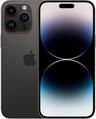
Not every used iPhone is a good buy, and the difference is rarely the year on the box. Two units of the same model can be worth very different money depending on battery health, whether the internals are genuine, and which market the phone came from.
Once you know what separates a good used iPhone from a bad one, it is one of the best values in phones. A pre-owned iPhone from two or three generations back beats a new budget phone on speed, camera, screen quality and resale value, and it still gets software updates for years.
Here are the models worth buying, in order, the comparison that matters most, and the checks that are particular to buying used in Canada.
Used iPhones in stock
Prices are in Canadian dollars, before tax. GST or HST is added at checkout at the rate for your province.
Quick picks
| If you want | Buy | Why |
|---|---|---|
| The best all round value | iPhone 13 | Still fast, still supported, lowest entry price |
| A 120Hz screen for least money | iPhone 13 Pro | ProMotion without paying current prices |
| Satellite SOS beyond coverage | iPhone 14 | The oldest iPhone that can text emergency services by satellite |
| The best used camera | iPhone 14 Pro Max | Telephoto, 48MP main, Dynamic Island |
| Longest remaining support | iPhone 14 family | Newest of the used generations |
The decision most buyers face
Two of the most popular used iPhones frequently sit at the same price: the iPhone 13 Pro and the standard iPhone 14. Same money, genuinely different phones.
| iPhone 13 Pro | iPhone 14 | |
|---|---|---|
| Display | 6.1 inch, ProMotion 120Hz | 6.1 inch, 60Hz |
| Chip | A15 Bionic | A15 Bionic |
| Rear cameras | Wide, ultra wide, telephoto | Wide, ultra wide |
| Build | Stainless steel | Aluminium |
| Emergency SOS via satellite | No | Yes, and it works in Canada |
| Release year | 2021 | 2022 |
| SIM tray | Yes, every unit | Canadian units yes, US units no |
The 13 Pro gives you a 120Hz display and a telephoto lens. The 14 gives you a phone one year newer, with a year more update life and satellite SOS.
For most people the 13 Pro is the better buy, because the 120Hz screen is something you notice constantly and the telephoto is genuinely useful. Choose the 14 instead if you hike, drive remote highways or spend weekends at a cottage beyond coverage, where satellite SOS earns its place. Our iPhone 13 vs iPhone 14 guide goes further.
Why a used 13 Pro is the cheapest 120Hz iPhone
This is the single most useful thing to know when shopping used.
Apple introduced ProMotion, its 120Hz adaptive refresh rate display, with the iPhone 13 Pro and 13 Pro Max. It stayed exclusive to Pro models through the 14 and 16 generations. Standard iPhones ran at 60Hz right up until the iPhone 17.
That means the cheapest route into a high refresh rate iPhone is not a newer standard model. It is an older Pro one.
| Model | Refresh rate |
|---|---|
| iPhone 13 | 60Hz |
| iPhone 13 Pro / Pro Max | 120Hz |
| iPhone 14 / 14 Plus | 60Hz |
| iPhone 14 Pro / Pro Max | 120Hz |
| iPhone 15, 16 | 60Hz |
| iPhone 17 | 120Hz |
If smooth scrolling is what you actually want, a used 13 Pro delivers it for a fraction of what a new iPhone 17 costs.
The models, in order
iPhone 13: the value pick
Still the best all round used buy. It receives iOS updates, comfortably holds a day on a healthy battery, and the camera remains good enough that a newer model is only obviously better if you shoot a lot of video. Resale value stays strong.
The 128GB versions are the ones that land at the lowest prices, and every iPhone 13 has a nano SIM tray, whichever market it came from.
iPhone 13 Pro and 13 Pro Max: 120Hz and a telephoto
The Pro versions add ProMotion, a telephoto lens, a stainless steel frame and a brighter display. The Pro Max adds significantly longer battery life on top.
If your budget reaches these, they are the most phone per dollar in the used market.
iPhone 14: newer, with satellite SOS
The standard 14 is a modest step over the 13 in daily use, but it is a year younger, which means a year more software support. It also adds Crash Detection and Emergency SOS via satellite, which has worked in Canada since late 2022: with no signal and a clear view of the sky, the phone can text emergency services. The 13 cannot do this at all, and no update will add it.
Check the SIM situation on any 14 you look at. Canadian units have a nano SIM tray alongside eSIM; US units are eSIM only. Both work on Canadian carriers, but only the Canadian one takes a plastic SIM.
iPhone 14 Pro and 14 Pro Max: the best used cameras
These add Dynamic Island, an always on display, ProMotion, a 48MP main camera and a telephoto, along with the same satellite features as the 14. The Pro Max has the longest battery life of any used iPhone in this range.
This is the top of the sensible used market. Above it, you are into current generation prices where buying new starts to make more sense.
What none of these models do
Being straightforward about the one real limitation: no iPhone in the 13 or 14 families supports Apple Intelligence, including the Pro models.
Apple Intelligence requires an A17 Pro chip or newer. The 14 Pro runs an A16 Bionic, which is a generation short. The first models that support it are the iPhone 15 Pro and every iPhone 16 onward.
For most everyday use this changes nothing. Calls, messaging, photography, banking apps, social media and navigation all work exactly as they do on a current phone. But if the AI writing tools or the newer Siri matter to you, no used iPhone in this price range will ever get them, and you should look at an iPhone 16 instead. A Canadian 16 also keeps the SIM tray that the 17 dropped.
Battery health: the number that decides value
On a used iPhone this matters more than the release year.
- Above 90 percent. Excellent. A lightly used unit.
- 85 to 90 percent. Healthy. Normal for a well kept phone of this age.
- 80 to 85 percent. Acceptable, if the price reflects it.
- Below 80 percent. A replacement is due. Deduct that cost from the price, or walk away.
Check it yourself in Settings, Battery, Battery Health before paying. Any seller who will not show you this screen has told you something.
Winter is where a tired battery shows first. Apple rates iPhones for use between 0 and 35°C, and cold below that makes any battery run down faster until it warms up. A worn one has less in reserve to begin with, so a phone that lasts the day in July can struggle on a January commute.
A battery replacement is not a disaster, and it is far cheaper than the price difference between generations. What matters is that it is priced in rather than discovered later. Our battery health guide explains what the numbers mean.
The SIM tray question
Recent iPhones sold in Canada and the United States are eSIM only, with no physical tray. Older generations were not, which is a genuine advantage of buying used.
| Model | Canadian unit | US unit |
|---|---|---|
| iPhone 13 family | Tray and eSIM | Tray and eSIM |
| iPhone 14, 15 and 16 families | Tray and eSIM | eSIM only |
| iPhone 17 family | eSIM only | eSIM only |
If you buy local SIMs when you travel, keep a second handset, or move your line between phones, a Canadian unit from the 16 or earlier gives you options that no iPhone 17 can. If your line lives in one phone, eSIM only is no hardship: Bell, Rogers, Telus, Freedom and their other brands all support it.
Buying privately: the Canadian checks
Plenty of used iPhones change hands on Facebook Marketplace and Kijiji. Most sellers are honest, but a private sale has no return window, so these checks are worth more than usual:
- Device Check Canada. Dial *#06# on the phone, then enter the IMEI at devicecheck.ca, run by the Canadian Telecommunications Association. It shows whether the phone has been reported lost or stolen. A blacklisted phone is blocked on participating Canadian networks and no seller can undo that. Our IMEI guide explains the rest.
- Carrier Lock. Settings, General, About should say No SIM restrictions. Phones sold new in Canada have been unlocked since December 2017, but a phone brought in from the United States can still be locked to a US carrier.
- Meet somewhere public and pay last, only after every check below has passed with the phone in your hand.
What to check before you pay
Run these with the phone in your hand. It takes a few minutes and catches almost everything.
- Battery health. Settings, Battery, Battery Health.
- Activation Lock. Find My off, no Apple account signed in. This cannot be fixed after the sale by anyone.
- Parts and Service History. Settings, General, About lists non genuine parts. A replaced battery is fine. A non genuine screen affects brightness, touch and Face ID.
- Serial number. Verify on Apple's coverage checker and match it to the box.
- Face ID and every camera lens, including the telephoto on Pro models.
- Which market the unit came from, which decides the SIM tray.
- Make a real call. Confirms the line, speaker and microphone at once.
Our full walkthroughs are in what to check before buying a used iPhone and how to know if an iPhone is original.
Buying used without the risk
The biggest risk in a used purchase is not the phone, it is buying from someone you cannot go back to. A fault that matters usually appears after a few days of normal use, not in the first five minutes.
Redwhale tests every pre-owned unit before it ships, discloses battery health rather than leaving you to discover it, and tells you which market each phone came from. We deliver across Canada, next day in the GTA, and if something is not right when it arrives, our 15 day return policy applies as long as it comes back in the condition it reached you.
Browse iPhones, or compare against current models in the best iPhones in Canada guide. Upgrading from an older phone? Swap can put it towards the next one.
Every unit is tested before it ships and backed by our 15 day return policy. Order online for delivery across Canada, next day in the GTA. Upgrading? Swap your old device towards it.